 Nihonzo
Twenty minutes lost switching apps?
Read, look up and ask AI on one screen
Long-press any word for its meaning, or ask the AI tutor what a sentence really says — without leaving the page.
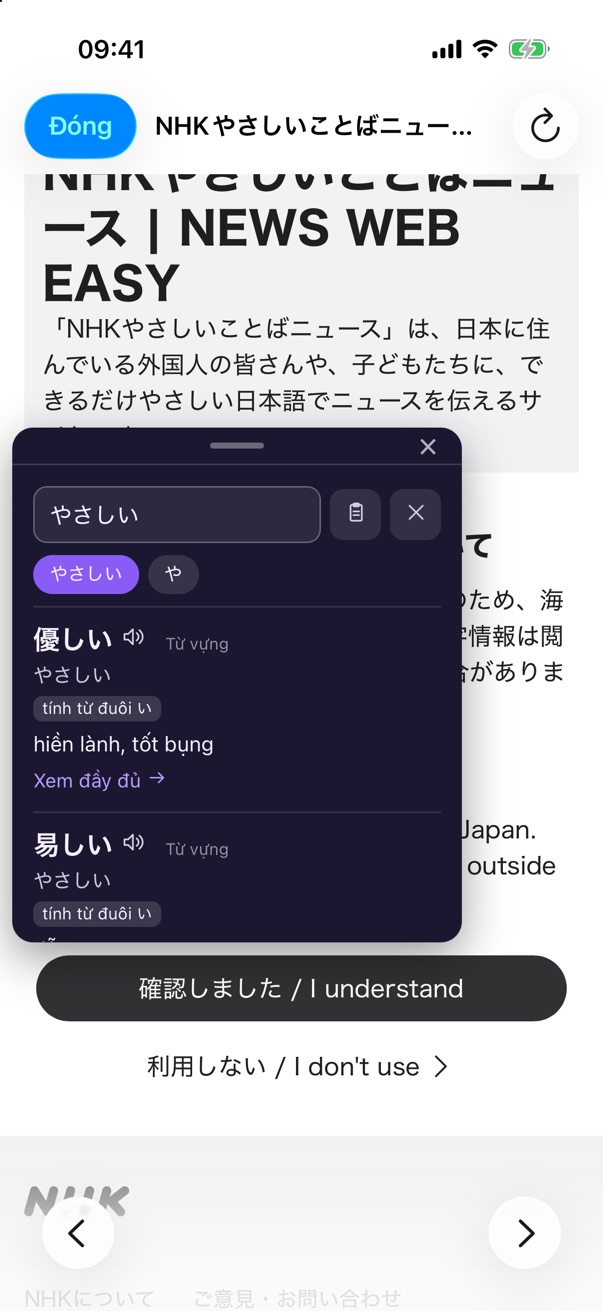
Read the news you actually care about. Learn from any YouTube video with AI explaining every line. Follow a plan that adapts to what you already know. Nihonzo goes wherever your Japanese goes — from your first N5 grammar point to real-world fluency.
No ads, no account to create, no distractions.
Twenty minutes lost switching apps?
Long-press any word for its meaning, or ask the AI tutor what a sentence really says — without leaving the page.
Spare minutes, but your textbook is at home?
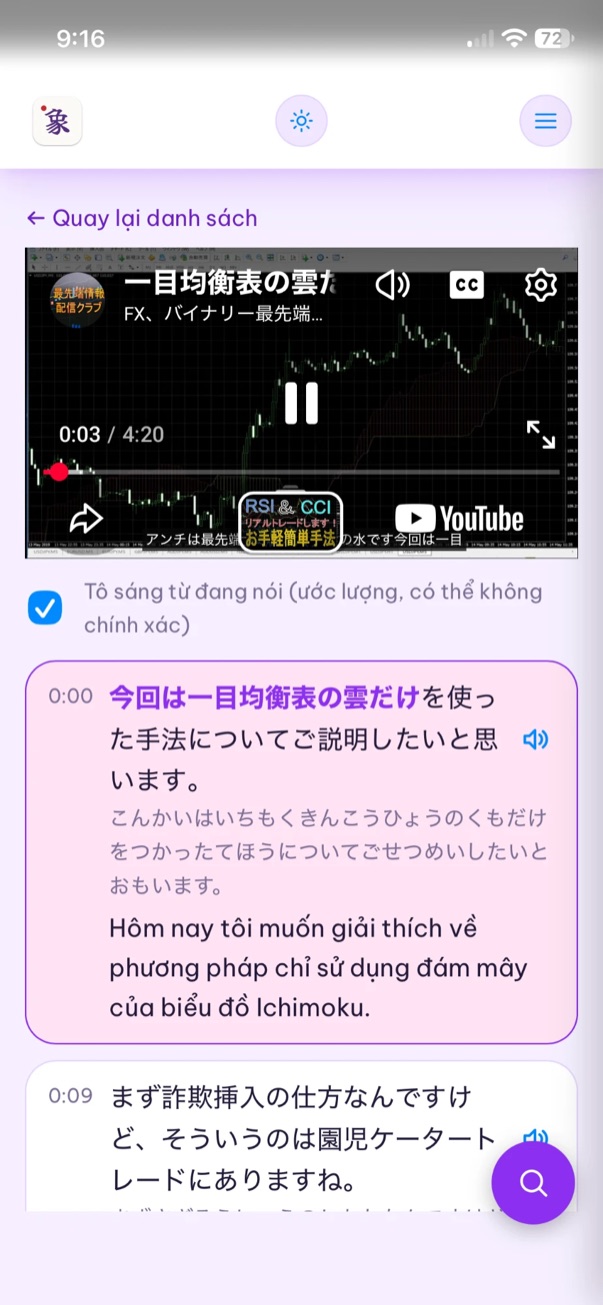
Grammar from N5 to N1, organised by JLPT level and by Shinkanzen and So-matome, in short daily sessions. Core lessons work offline.
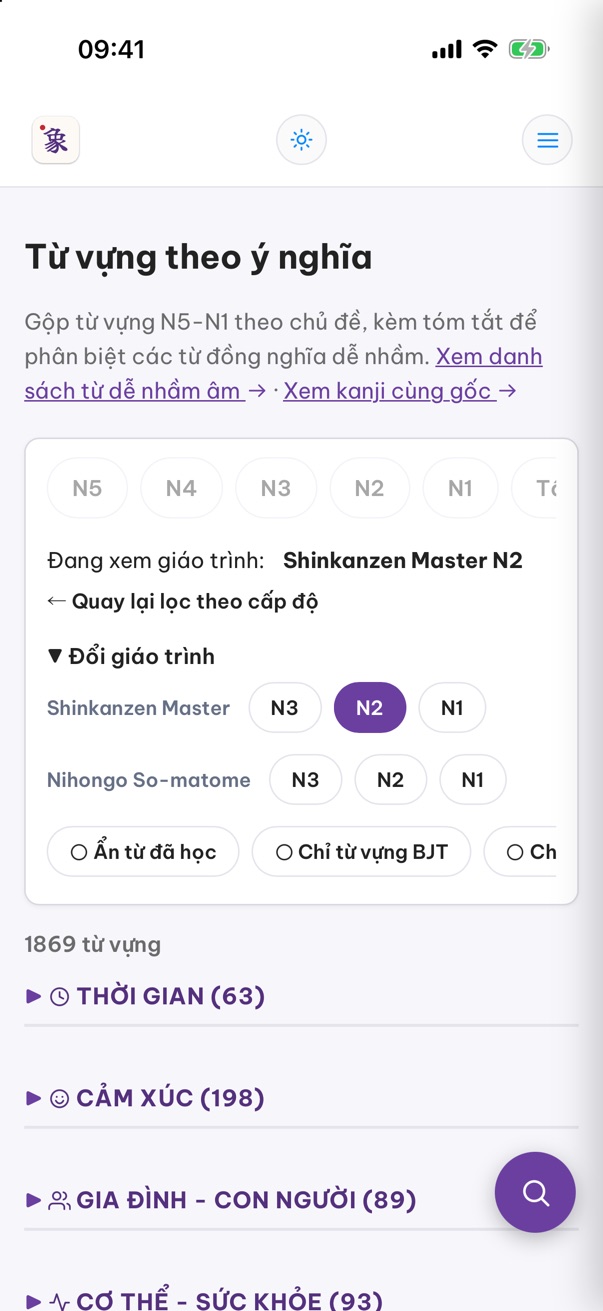
Too many unknown words in real Japanese?
Articles are ranked by how much of them you already understand, and any unknown word is one long-press away.
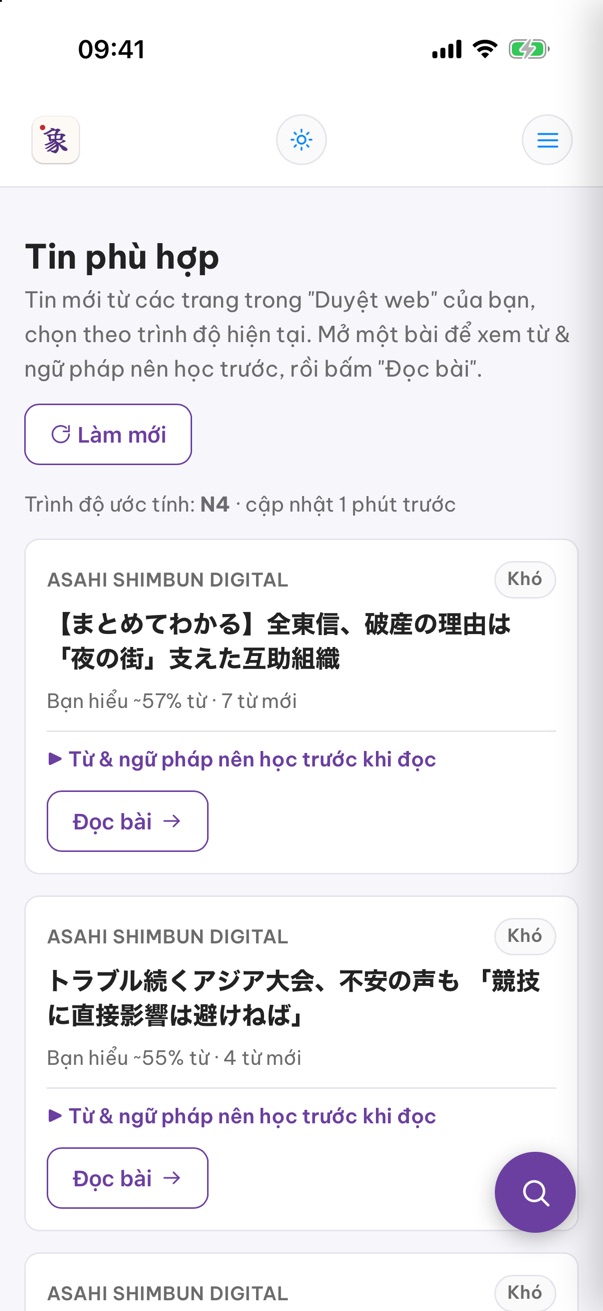
Videos too fast to learn from?
Paste a YouTube link and AI builds a line-by-line lesson — reading, translation and grammar notes, synced to the video.
You can read it, but freeze when you speak?
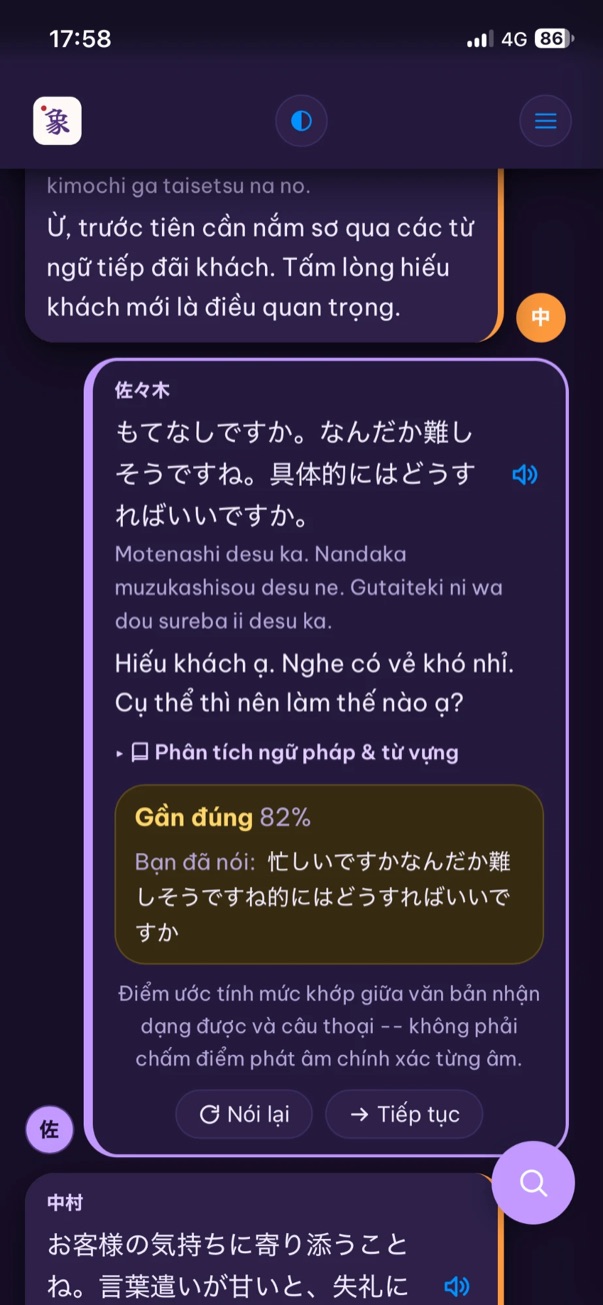
Role-play everyday conversations out loud and see which words came through and which didn't.
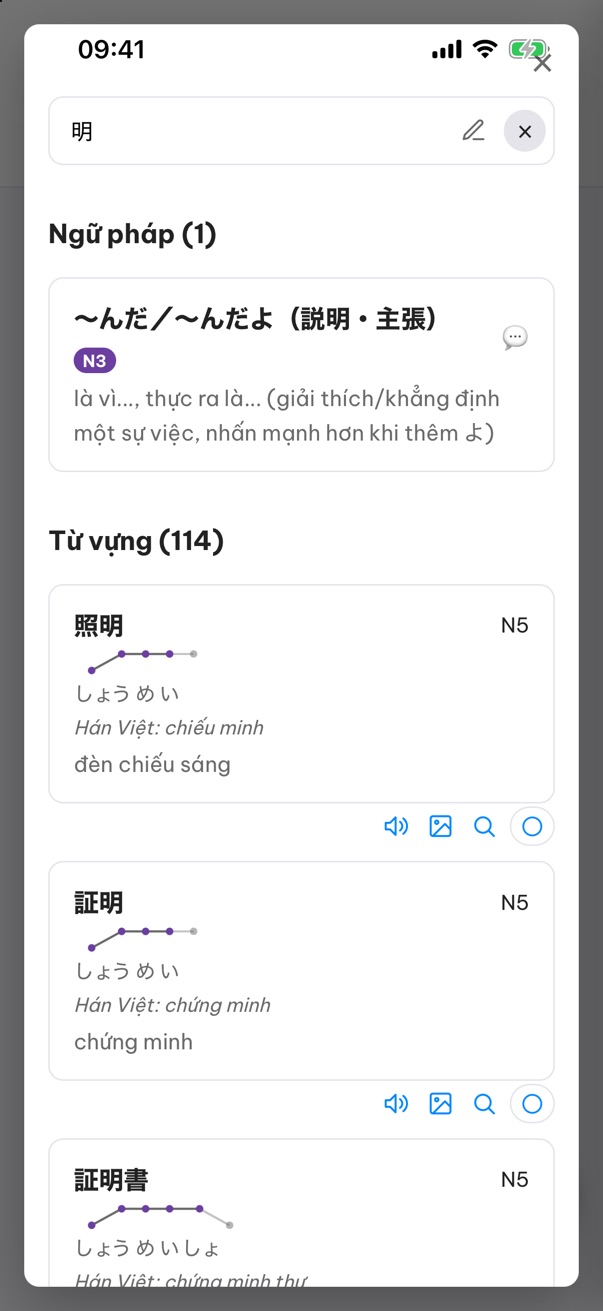
Can't type the kanji you're looking at?
Look up vocabulary, grammar and kanji in one place — or draw a kanji you can't type.
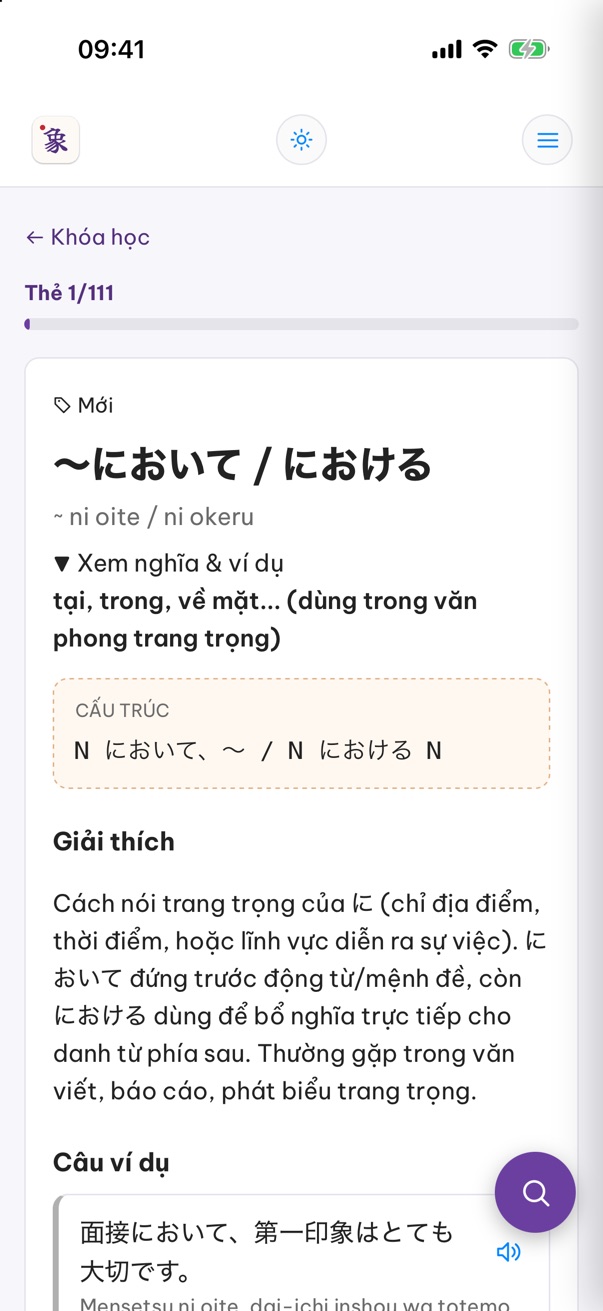
Learn it today, forget it next week?
Set your JLPT level and exam date. Spaced repetition brings each word back just before you'd forget it.
Real screens from the iOS app (Vietnamese interface).
Every new device gets a 7-day free trial with full access. No email, no password.
Add your own key from OpenAI, Google Gemini or DeepSeek to turn on the AI features. The key stays on your phone.
Buy 6 months, 12 months or lifetime in the App Store or Google Play.
Nihonzo connects to the AI provider you choose — OpenAI, Google Gemini or DeepSeek — using your own API key, which you enter once in Settings. The app includes step-by-step instructions for getting a key. Any usage is billed by that provider directly to you (some providers offer a free tier). Your key and your questions go straight from your phone to the provider; they never pass through our servers.
NHK News Web Easy, NHK, Asahi, Yahoo! News Japan and livedoor are built in, and you can add any Japanese website you like. Articles open in the app's reader, where you can long-press any word to look it up or ask AI about it.
Any video that has Japanese captions. Paste the link, and AI builds a line-by-line lesson from the captions. The lesson is saved on your phone for rewatching.
Install the app on the new phone, open the purchase screen and tap “Restore purchases” while signed in to the same Apple ID or Google account you bought with. Your study progress can be moved with Settings → Backup & restore.
Purchases made in the App Store or Google Play are refunded by Apple or Google under their refund policies.
Grammar, vocabulary, kanji, conversations, tests and your progress all work offline. News, YouTube lessons and AI features need a connection.
See Delete my data.
Still stuck? Send us a message and we will get back to you.